Use AI on work that can't leave the building.
Even enterprise AI plans send your work to someone else's servers. Keptlane puts the AI in a small box in your office instead. Confidential work never leaves the building, and everything else carries on with the cloud AI your team already uses.
- Runs entirely in your office The private AI lives on a box you own. Nothing is sent out.
- No token costs, no limits No charge per question and no usage caps. Ask it as much as you like.
- Keeps working Internet down or a cloud AI outage? The private AI carries on.
- Fits what you already use Your Windows PCs, your files and folders, and the cloud AI you already have.
How it works
Two AI windows on every desk. One uses the cloud. The other never leaves your office. Keptlane decides what is allowed where.
-
Mark what's confidential
Right-click any file, or drop it into a protected folder. Keptlane keeps a fingerprint of it, never the text.
-
The cloud AI can't have it
Every message is checked on the PC before it is sent. Anything matching a confidential file, a client name or personal details is stopped.
Stopped before it leaves -
Your private AI answers instead
It runs on hardware you own, cites the document it used, and keeps working with the internet switched off.
Answered in your office
Small enough for a shelf. Chosen for your work.
There's no one box for everyone. We test the newest open models on fictional versions of your own work, then recommend the smallest hardware that runs the best one.
Simple control, inside the tools you already use
No new system to learn. Whoever looks after IT runs everything from Windows and one page, in seconds.
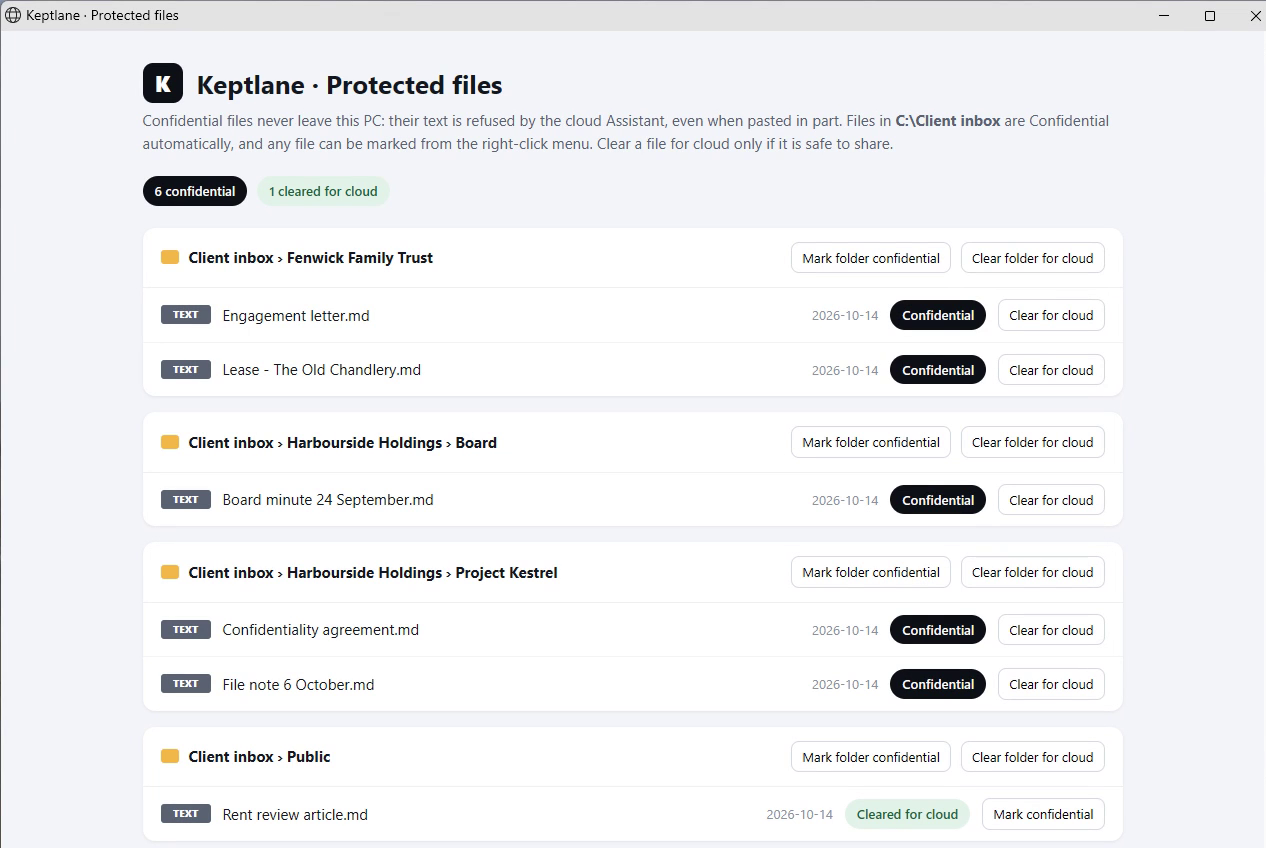
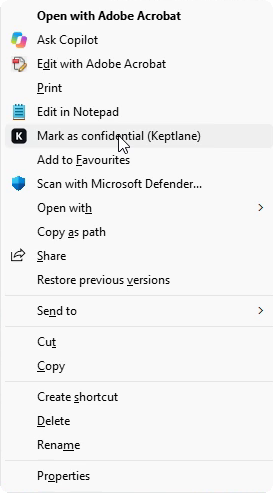
- Right-click any fileChoose "Mark as confidential" and it's protected straight away, with a Windows notification to confirm.
- Protected foldersAnything saved into a client folder is confidential automatically. Nobody has to remember.
- One page for everythingEvery protected file, grouped by client. Clear a file, or a whole folder, for cloud in one click.
- Client names in a plain listAdd a new client in seconds, and the cloud AI won't accept their name.
- A log without the wordsEvery decision is recorded, never what anyone typed.
Why not just an enterprise plan?
Enterprise terms are a real improvement. They still rely on sending your work somewhere else.
Your data still travels
A contract limits what a provider may do with your documents. It doesn't stop them leaving your building.
Some work can't be shared at all
Client agreements and confidentiality duties can rule out any third party, however good their terms.
Mistakes are one paste away
People paste the wrong thing into the wrong window. Keptlane checks before anything is sent, not after.
See it running live
One take on a Windows PC with an RTX 5080 and a small 9B model, with the Wi-Fi switched off for the private answer. The last part is a replay of a logged test of a feature still in development, and is marked as such.
Early, and working
Keptlane is a working prototype. We're looking for a small number of teams who want AI on confidential work to try it with us.
Book a 15-minute demo